


How to Build a Bill of Materials (BOM)
For Community-Based Connectivity at Homeless Shelters
Through the Benton Opportunity Fund fellowship, Dr. Esther Jang will be publishing how-to guides or recipes to help community-based organizations establish and operate local connectivity projects for low-income and marginalized groups. Here, Jang provides a detailed guide to developing a bill of materials (BOM) and budget for building small Wi-Fi networks. Using Seattle Community Network’s (SCN) experience providing connectivity at homeless shelters, this guide offers ways to keep costs reasonable and the technology appropriate.
March 2024
The Seattle Community Network (SCN) project was founded in 2019 with the goal of providing a no-cost internet access network for low-income residents in underserved neighborhoods. Since then, the team of community organizers and engineers who assembled ourselves discovered that internet connectivity needs and options were typically worst among unhoused populations and in emergency shelter settings such as Tiny House Villages (THVs) and sanctioned encampments. THVs have become a popular (at least 20 already in Washington state) stopgap measure for addressing the housing crisis—they are a quick-to-build, cost-effective format for activating otherwise unused or undevelopable public or private land to provide longer-term private rooms to unhoused families as well as individuals.
SCN finds Wi-Fi solutions for THV and encampment residents. We currently have seven THVs and one encampment on our network, each containing 15-40 residences for individuals and families.
The funding for the most recent THV networks has come from the City of Seattle’s Technology Matching Fund (TMF). TMF funds local, technology-related, digital-equity projects such as laptop and hotspot distribution programs and digital navigation classes. SCN received funding to deploy two of our five cellular network sites, and, this year, we received additional TMF funding to install Wi-Fi at three more THVs. While we were getting started on our THV sites, the City of Seattle Information Technology Department also asked us to review the proposed budget for another THV pilot Wi-Fi project. Not only was the equipment budget easily 2-3 times ours, but the consultants referred through T-Mobile were also proposing to use equipment that potentially would not be suitable to serve the entire village.
We thought that we should share our bill of materials (BOM) and site design to provide a better baseline for other implementers. In our work, a BOM is a list of materials and components required to construct, manufacture, or repair an engineered product—in this case, a Wi-Fi network—akin to the list of ingredients in a recipe. We call SCN a “community learning network” because we mobilize our technical knowledge and resources to share as public goods and to learn, aiming to help improve conditions for those in need in all of our communities.
Below, I first outline the process of collecting requirements and information needed to build our BOM for THV connectivity. Then I explain the BOM and some considerations for building your own. Finally, I share specific learnings from the process of providing Wi-Fi service at these shelters.
Current THVs and shelters served as of November 2024:
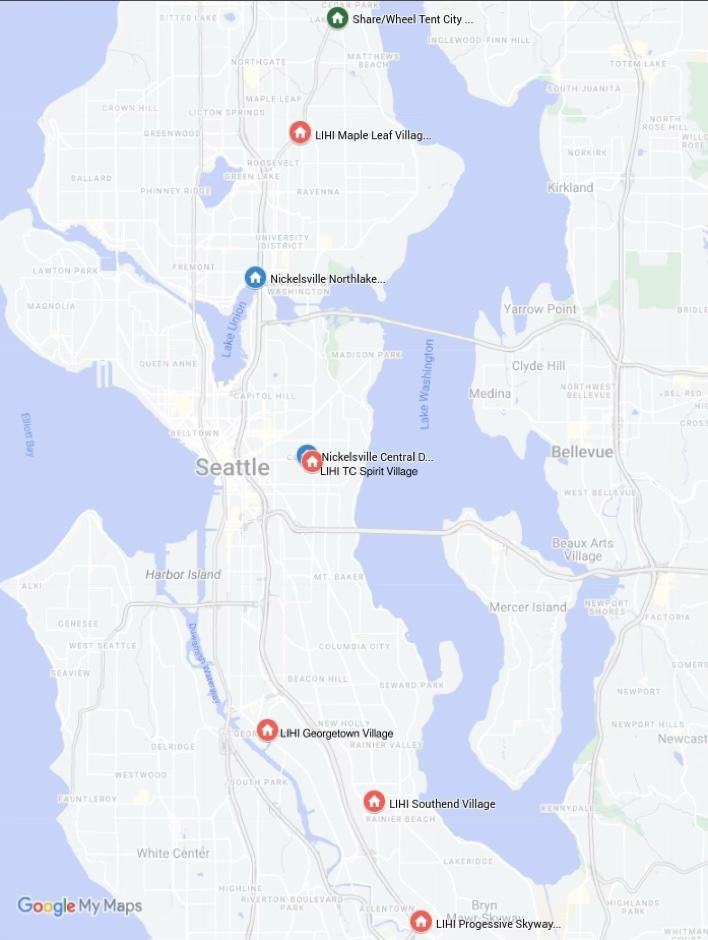
- LIHI Georgetown Village
- LIHI Maple Leaf Village
- Share/Wheel Tent City 4
- LIHI Southend Village
- LIHI Progressive Skyway Village
- Nickelsville Northlake Village
- Nickelsville Central District Village
- LIHI TC Spirit Village
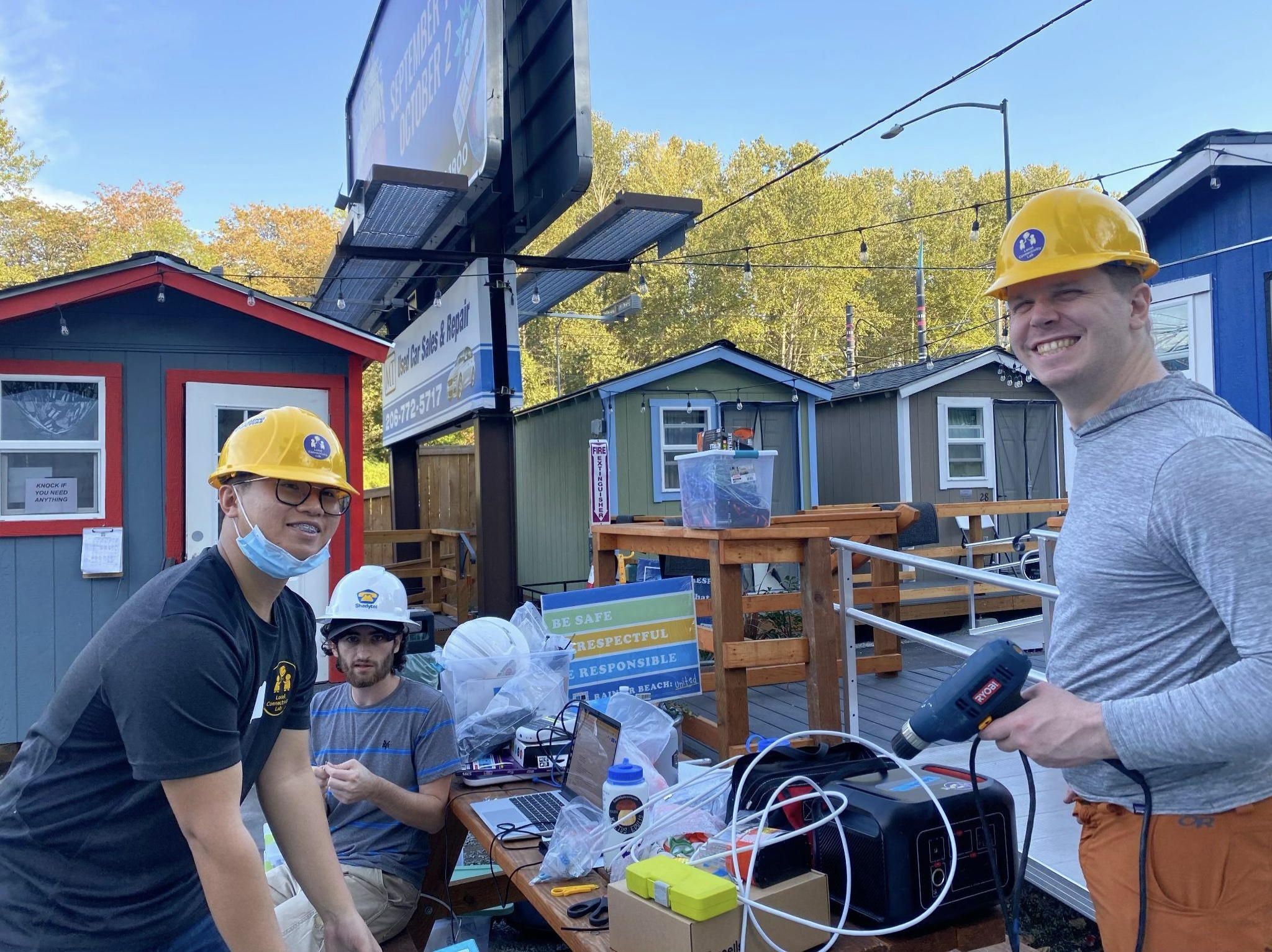
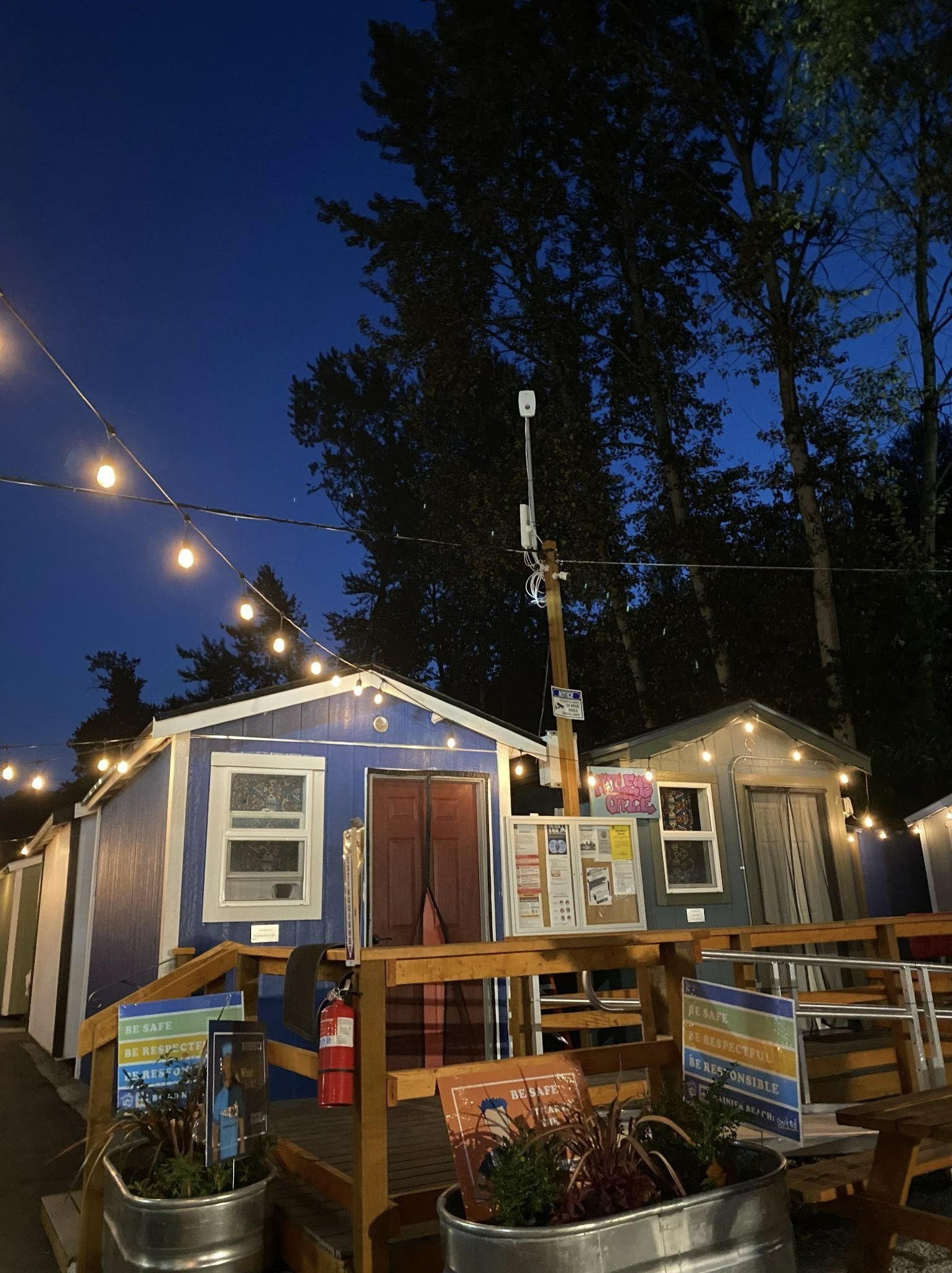
What we did: The process of connecting THVs
Here are the preparatory steps involved in determining what needs to be included in the bill of materials for connecting a site.
Step 1: Identify Needs and Issues
The first step is to identify residences where people are living without internet access. This can be done via door-knocking (in-person or via email to housing providers) and asking questions about residents’ internet access options. I connected with the first of our THV partner organizations, Nickelsville, at a community event in 2018, and asked about its internet access infrastructure. I learned about Nickelsville’s strategy of keeping 2-3 handheld mobile hotspots, lent by the library, in outdoor receptacles throughout each village. But this solution had problems such as low signal strength inside homes, oversubscribed bandwidth, and interference from many other personal hotspots in close quarters.
Step 2: Survey the Connectivity Options
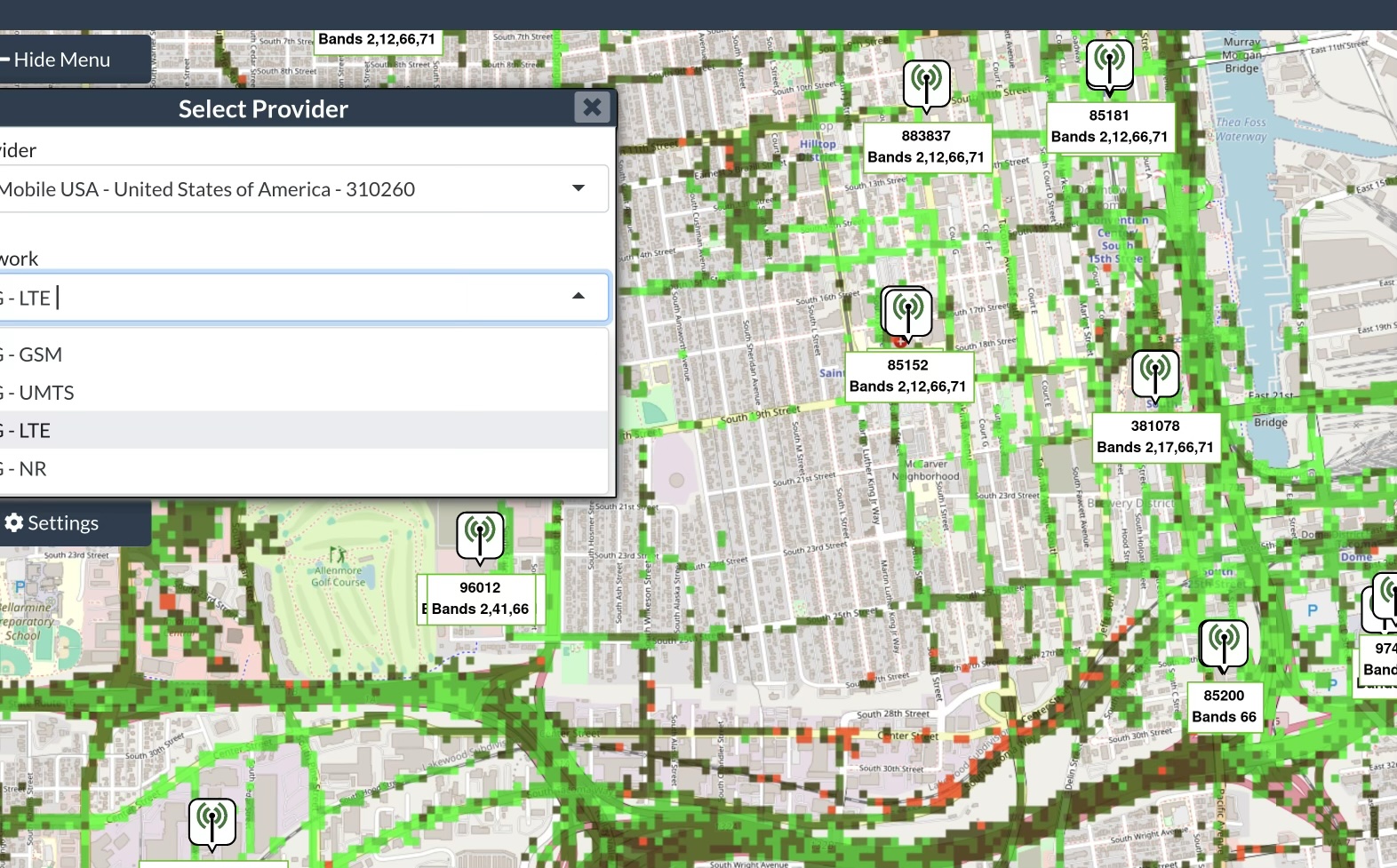
Early in the pandemic, few THV locations had wired connectivity available even for purchase at their addresses. 5G fixed-wireless home connectivity was not yet common, and Starlink was not yet available. We first installed our CBRS LTE towers in neighborhoods containing THVs or low-income housing that lacked access to fiber or other fast and affordable connectivity (>=100 Mbps for under $100/mo). In 2021 we began connecting THVs to our LTE fixed-wireless network, starting with an installation of LTE customer premises equipment (CPE) and Wi-Fi routers at Nickelsville Central District, which was served by a cell site at Garfield High School.
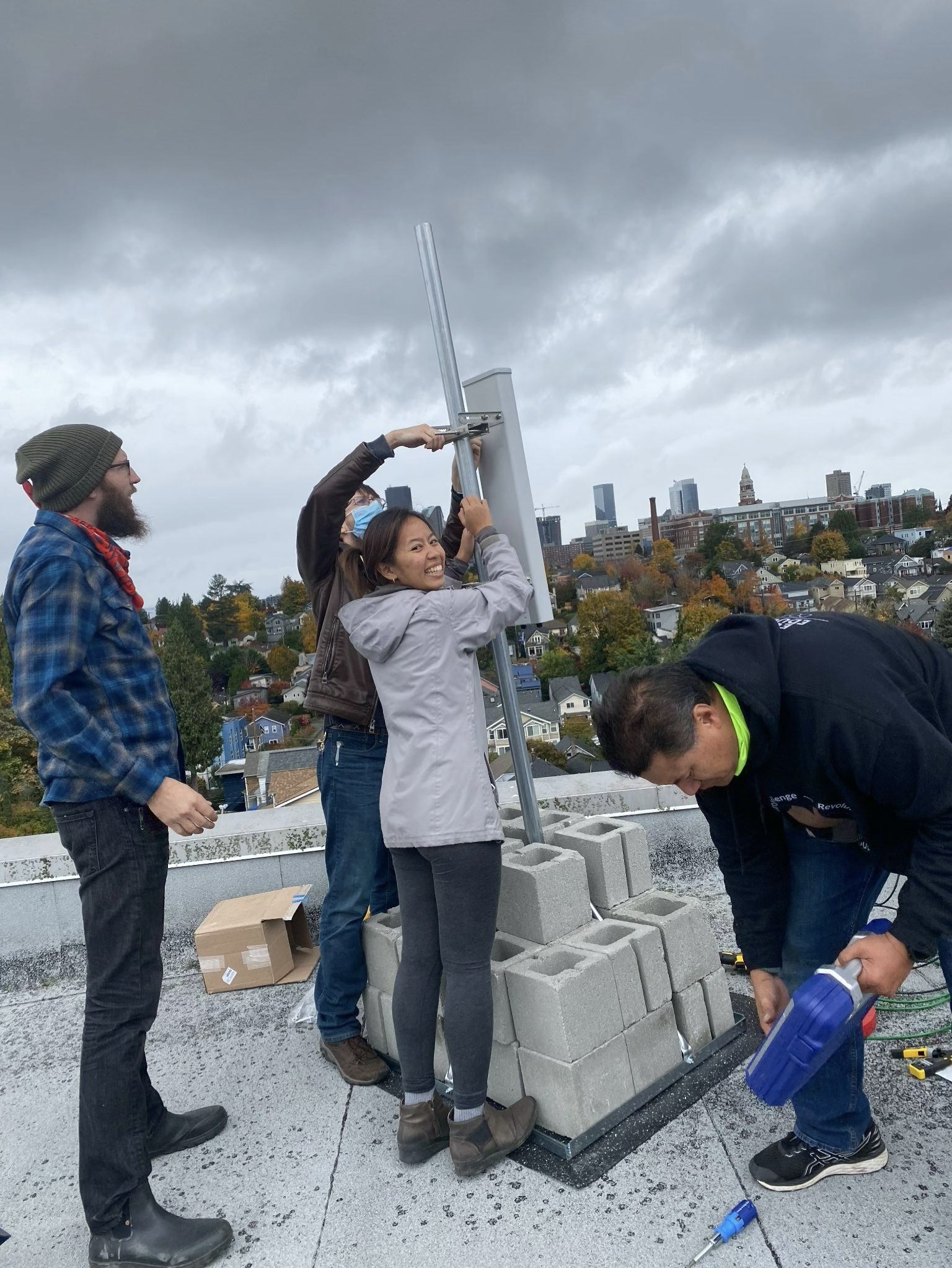
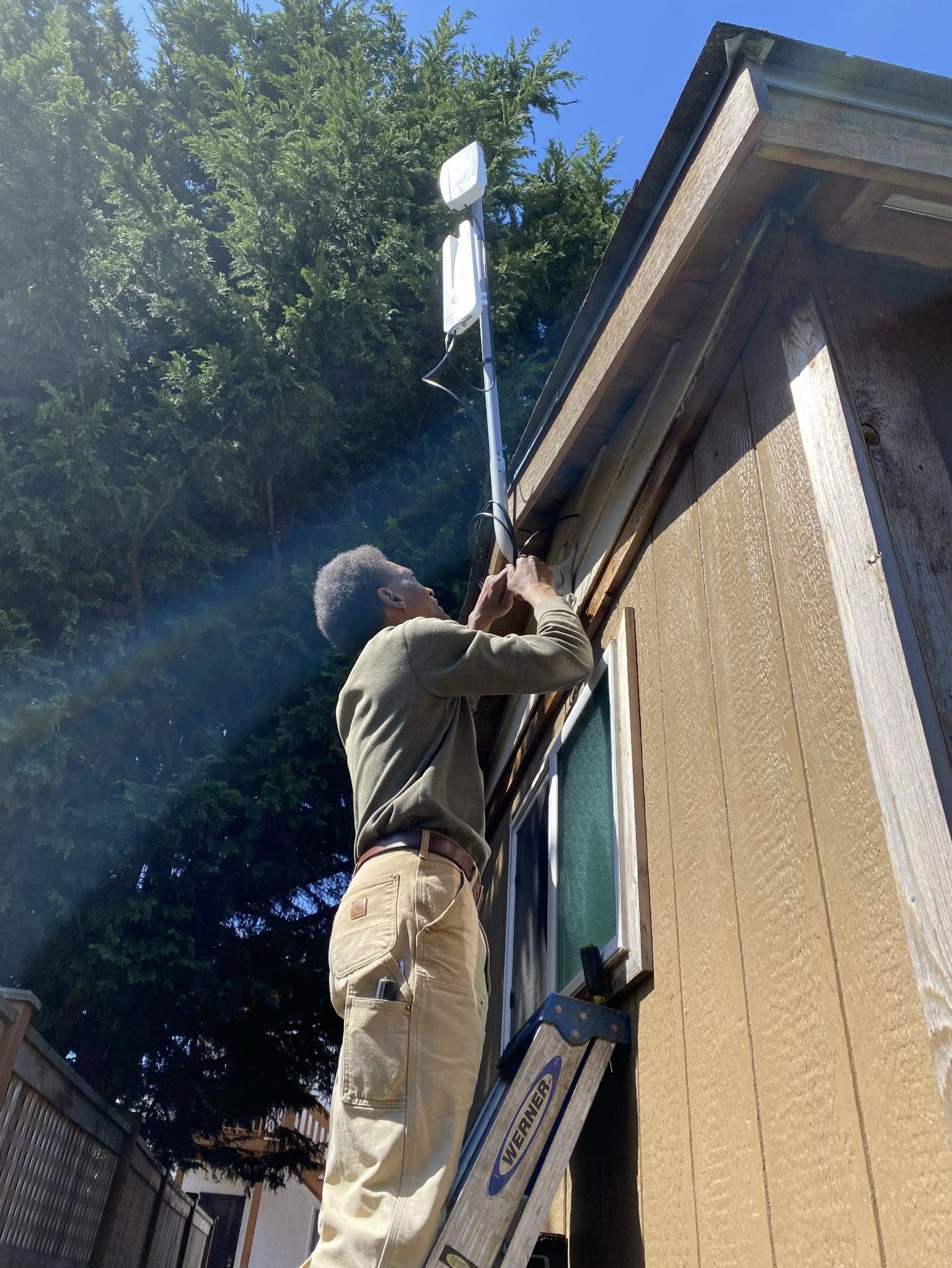
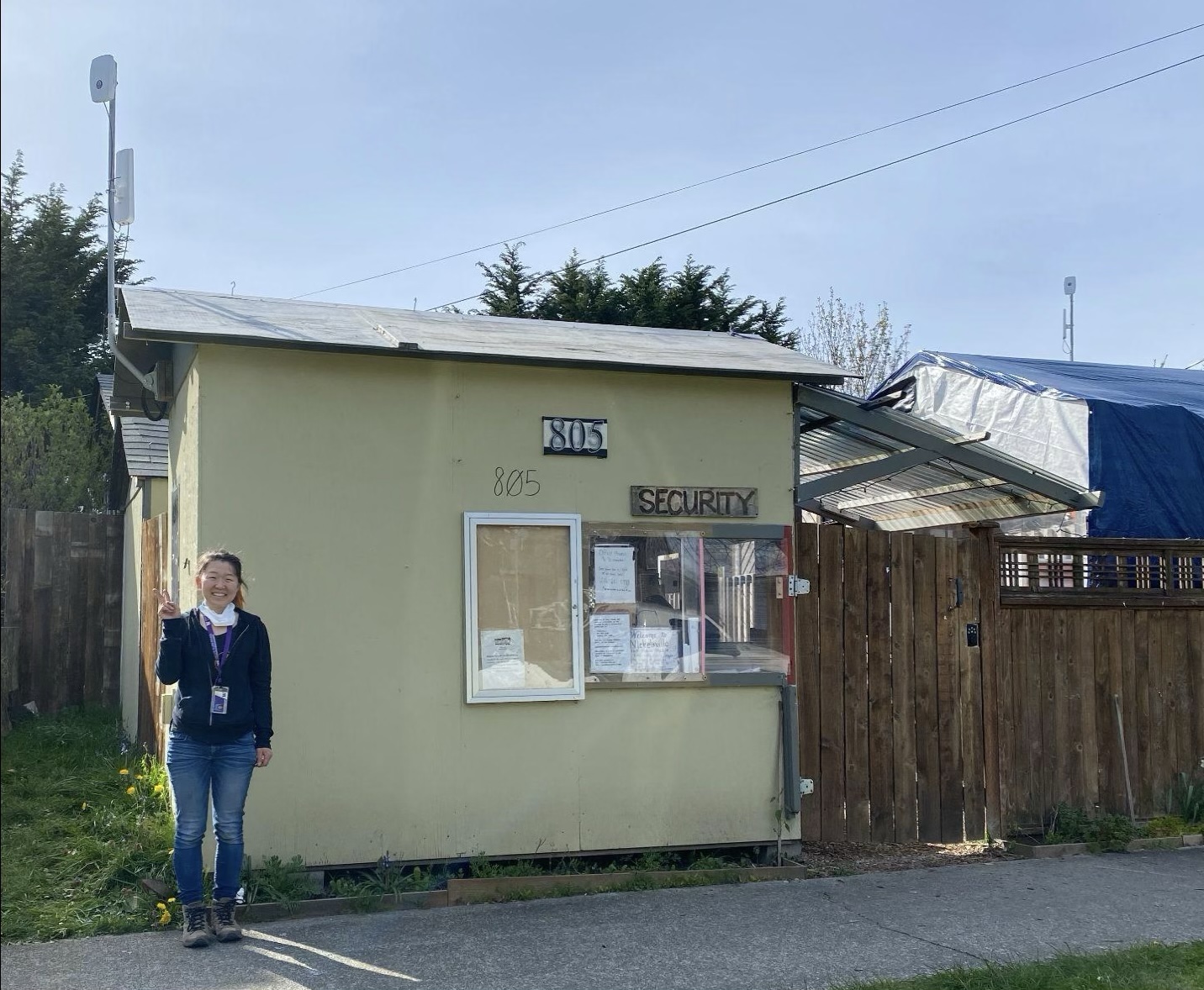
Later we began connecting LIHI villages, starting with Southend Village in 2022. Both of these partner organizations now work with us to provide direction on the villages we should prioritize for future installs based on need. We also work with other community-based nonprofits such as The Silent Task Force, which has historically done food distributions at THVs, knew about the THVs’ needs, and leveraged existing relationships to set up community network installations.
In 2022, when Lumen gigabit fiber became available at Nickelsville Central District Village, we were able to move its “backhaul” or upstream internet connection onto fiber via an agreement with the city in which Lumen provides a small number of free Access For All connections.

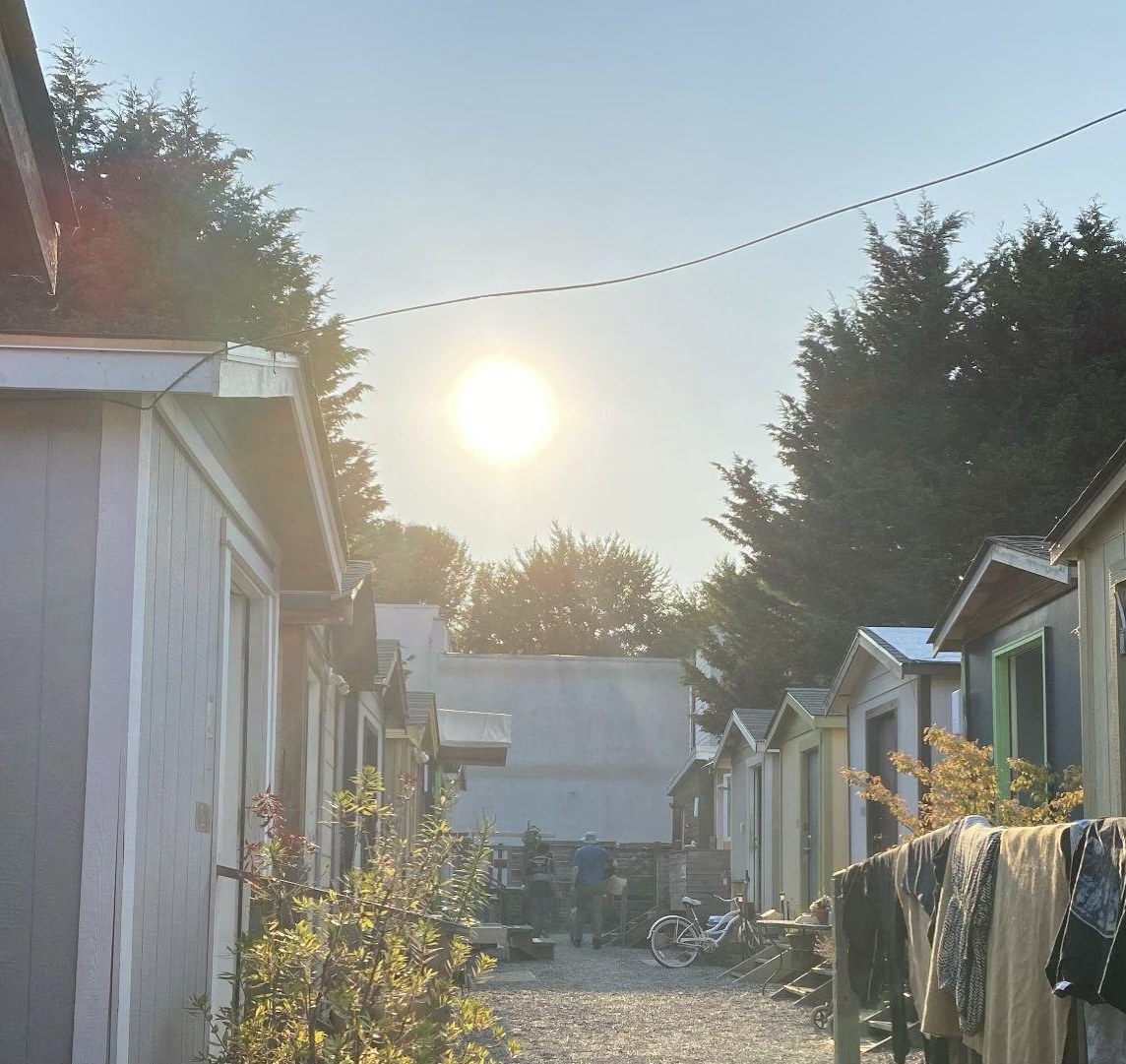
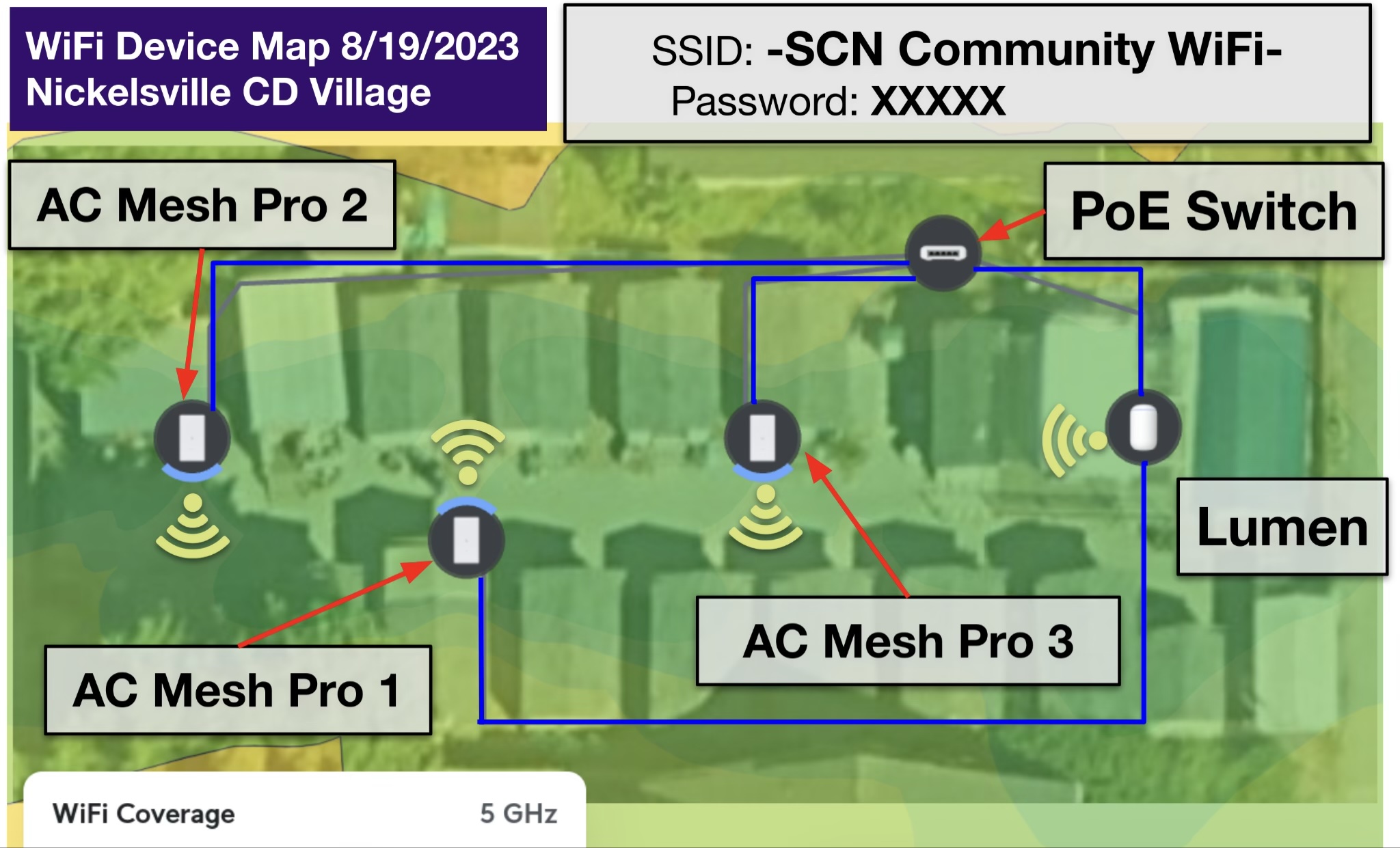
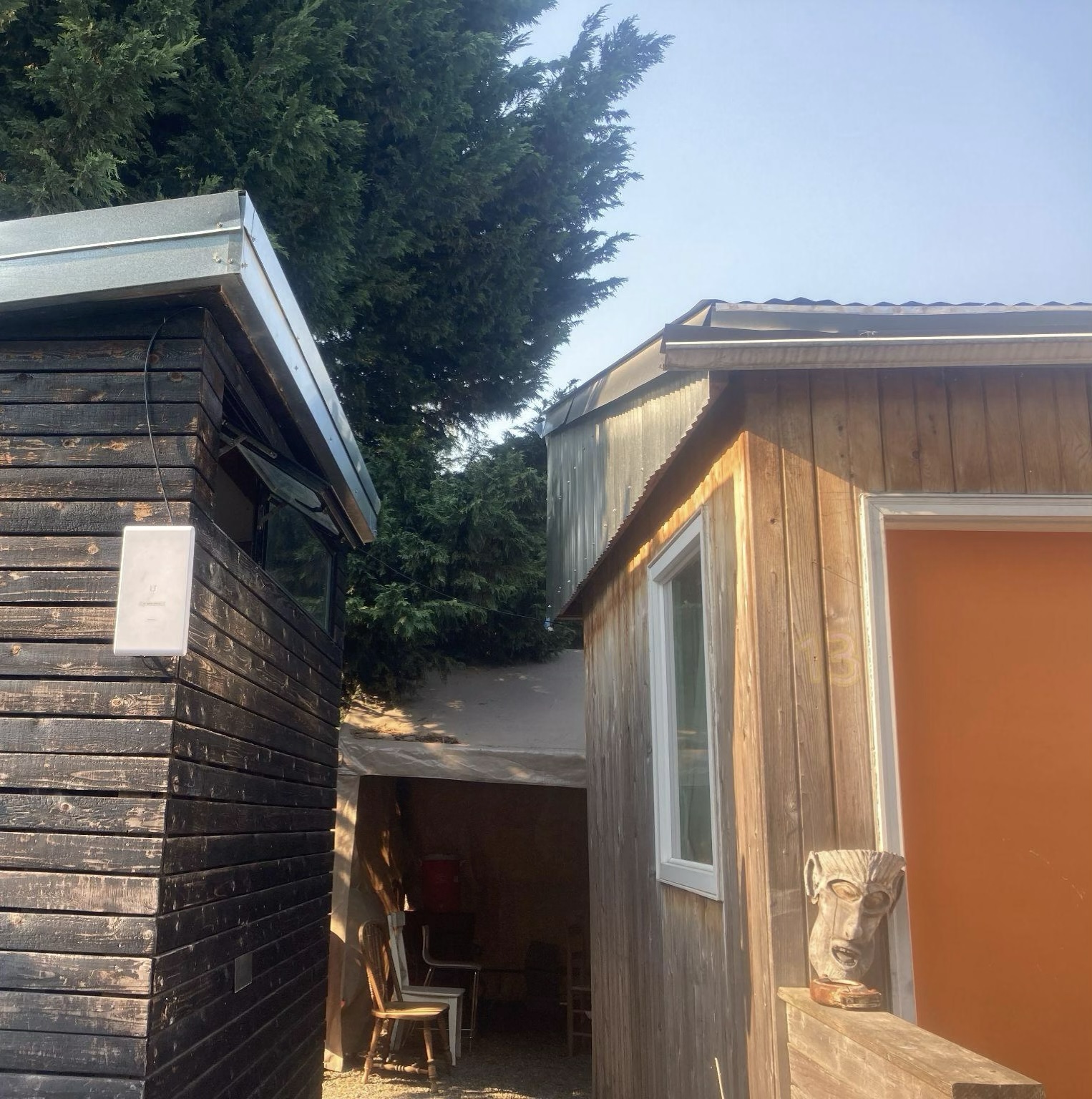
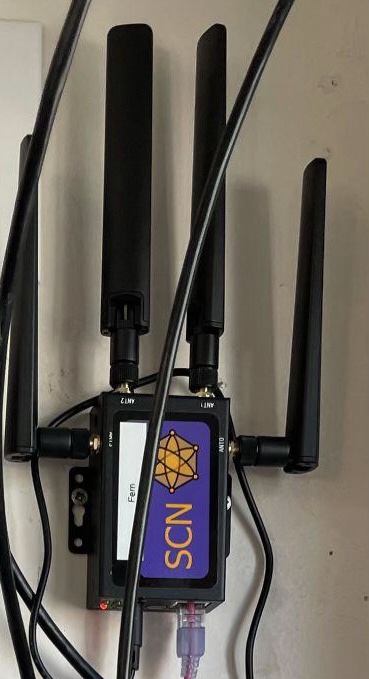
Since then, we have been able to use Lumen fiber at two additional THVs. However, three of our more recent THV networks were installed at locations without access to any wired connectivity options. This year, we had planned to partner with the Seattle Public Library (SPL) branches to use their T-Mobile and AT&T lending hotspot SIM cards in our modems to provide wireless 5G backhaul (similar to how T-Mobile’s fixed-wireless “5G Home Internet” service is used). However, only after several days of intermittent outages did we discover that the SPL hotspot SIMs were all in a de-prioritized service tier on their carriers’ networks, so our entire site would lose upstream service whenever the cellular network was congested. These SIM cards were not suitable for our use case. Fortunately, we were able to source other SIMs from a friendly local telecommunications provider that donated the data service.
Step 3: Site Survey to identify backhaul and Wi-Fi coverage needs
Our ultimate goal is not just to bring data pipes into villages but to provide a Wi-Fi access network, which the vast majority of users will need to connect their often lower-end devices to the Internet (see City of Seattle report for details). Some effective surveying and planning for both Wi-Fi coverage and wireless backhaul can be done using satellite imagery, especially if 3D building data is available such as through Google Earth, Facebook’s Line-Of-Sight tool, and many others. However, this data is often not available in lower-income neighborhoods. Identifying important details within THVs—such as office vs residential structures, electrical outlets, and the easiest cable paths across walkways—via satellite imagery can be difficult.
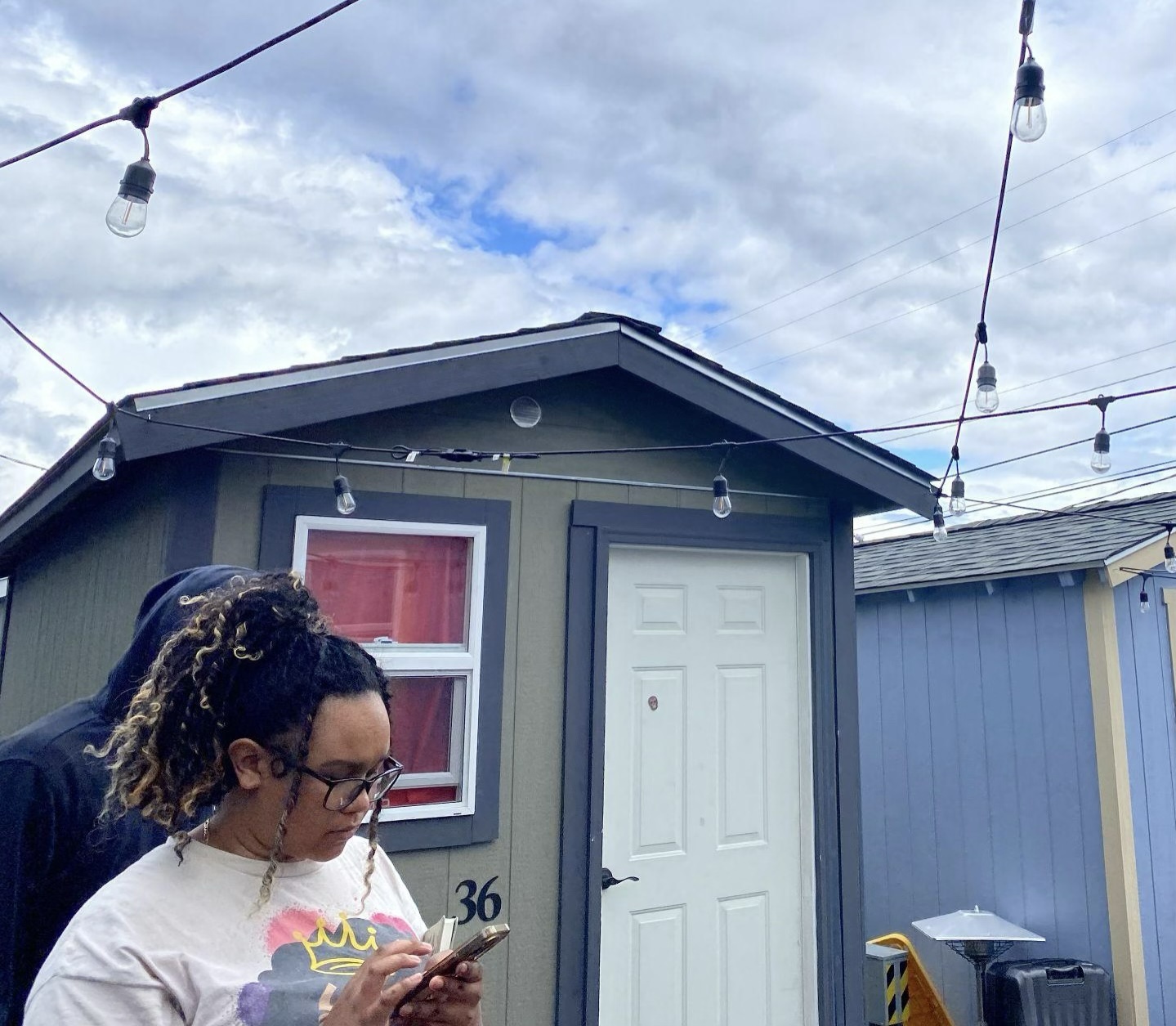
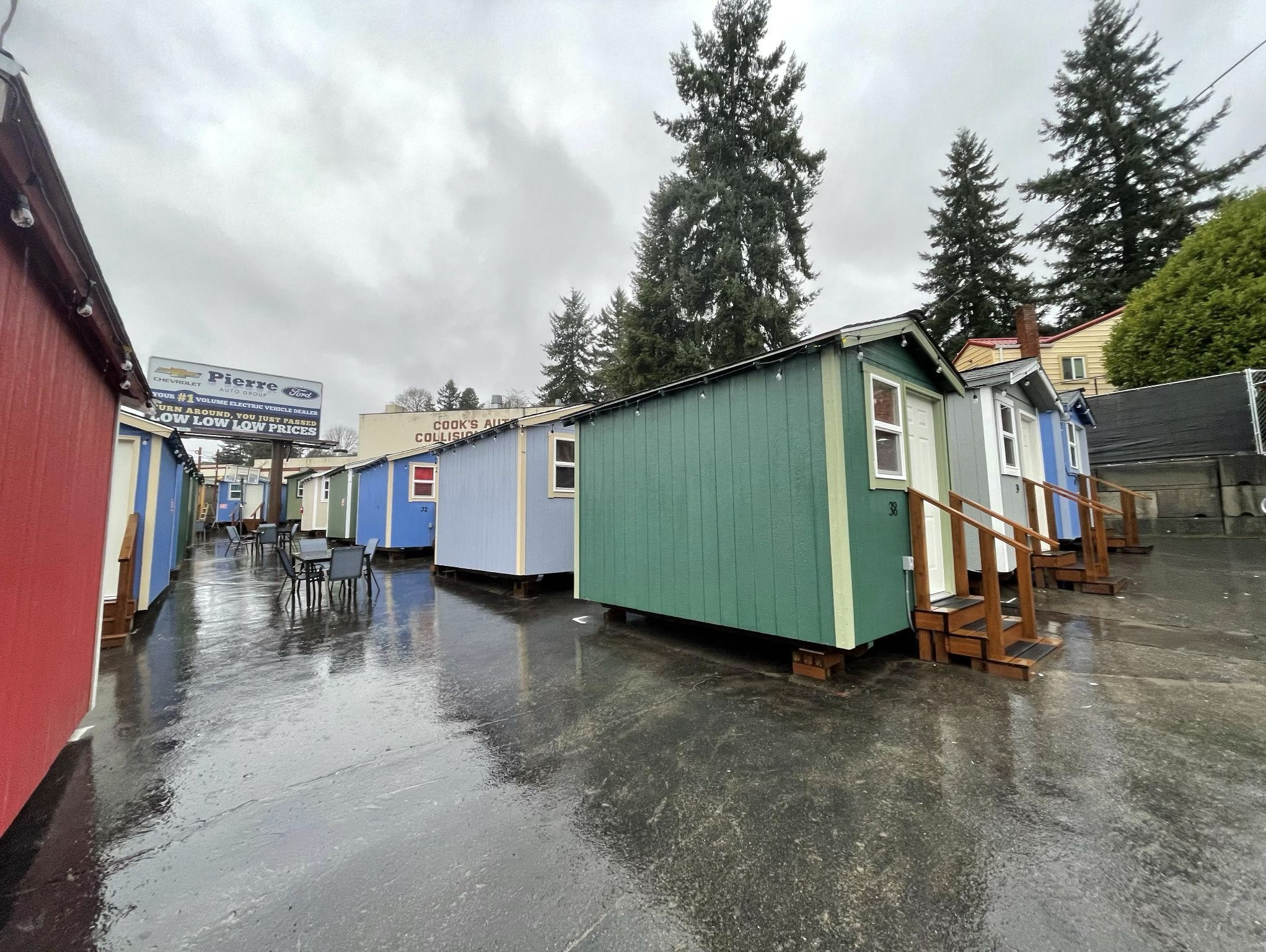
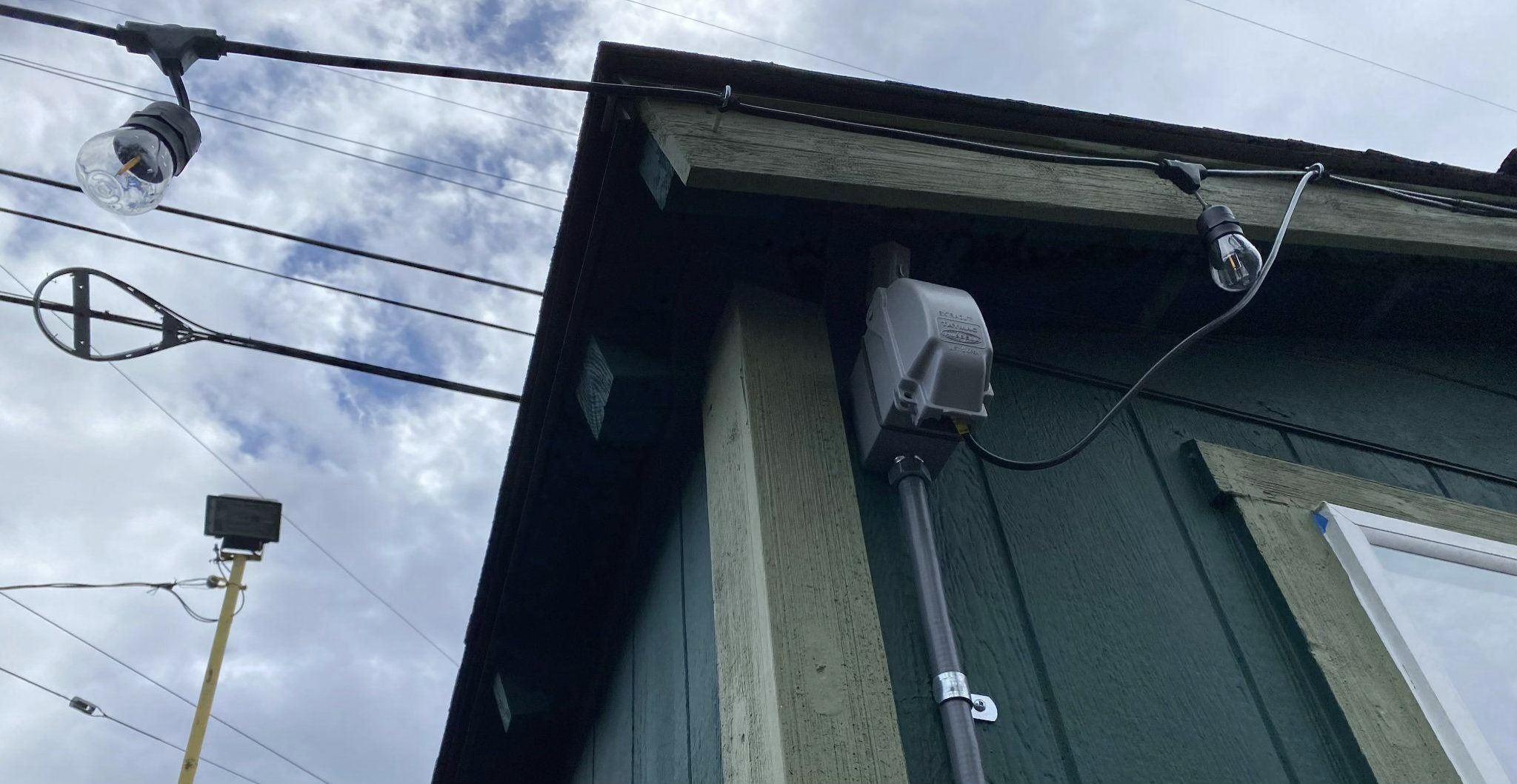
On-site field investigation is crucial for finding out this level of detail as well as unexpected resources that might be available on hand. I have written up a THV site survey guide for Seattle Community Network volunteers that covers more of the nitty-gritty details.
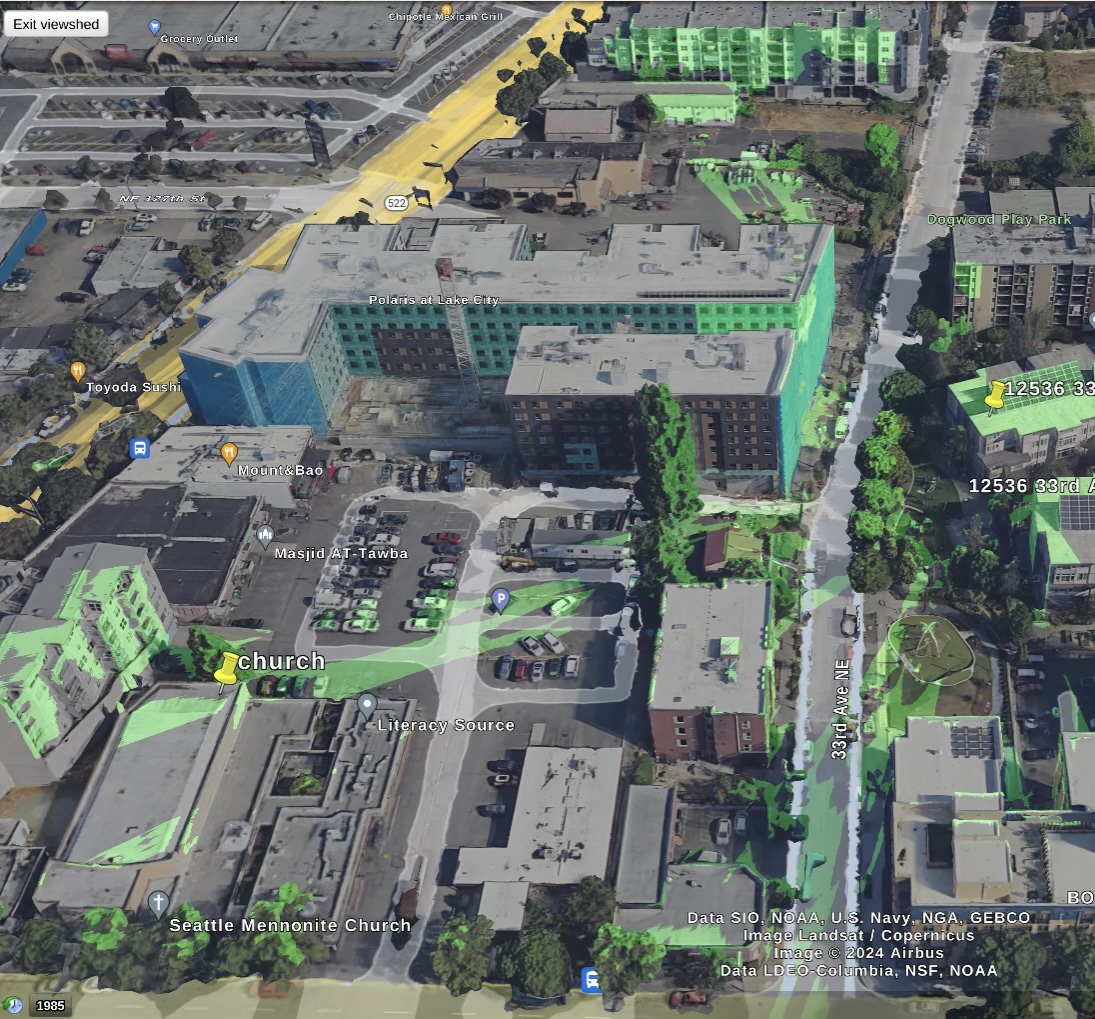

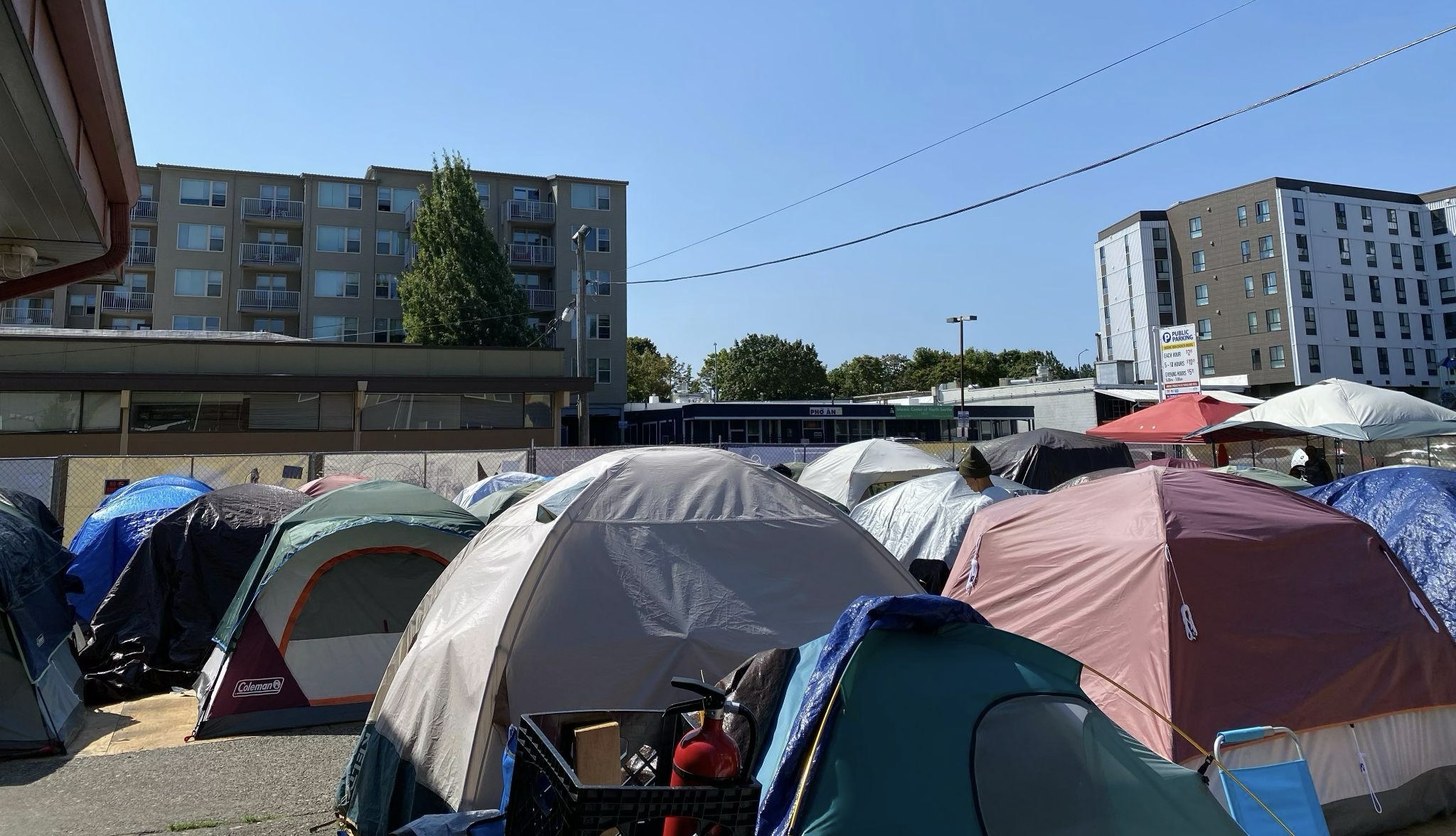
For backhaul as well, even if there weren’t good options found in step 3, an in-person site survey can uncover opportunities such as community partnerships for backhaul, e.g. lines of sight to neighboring buildings that could provide upstream bandwidth via point-to-point (PtP) wireless links. There could be visible evidence of fiber or coax-wired infrastructure on the same street that could provide openings for negotiation with ISPs for better options than are publicly listed. There might even be connectivity already on-site that no one knows about or understands how to use, for example, a complicated-looking router that was installed improperly or with no documentation. Always bring a device like a laptop or a phone and an ethernet cable to a site survey to run a wired speed test in case such connectivity sources are discovered.
Step 4: Build the BOM
Now you can build a BOM by deciding what is needed to install and where. The easiest way (as with most recipes) is to start with a template. As an overview, here is the per-site BOM we used for the recent TMF-funded THVs.
The components of our BOM are roughly as follows:
- Wi-Fi Access Points (APs) need to be outdoor-compatible and take Power-over-Ethernet (PoE) power so we don’t have to worry about running additional power cables throughout the village—there is just a single ethernet cable to each device. We decide on the number of these through our experience with the devices, as well as modeling programs such as the Unifi Design Center tool available for the product line of APs we are using, the UniFi AC Mesh Pro. They are easy to use and remotely manageable, and SCN is able to self-host the management and monitoring software. However, these APs lack certain back-end functionality built-in that we need, such as VPN access and a fully configurable firewall.
- Gateway Router: We use a much more fully featured and configurable gateway router (Mikrotik RB5009) to provide internet access to the rest of our network. This router manages the local network’s IP addresses and firewalls and provides our team with remote virtual private network (VPN) access.
- Backhaul: In this case, we are using gigabit-capable 5G modems (Quectel) containing a T-Mobile 5G SIM card with a business-tier data plan, with its ethernet output connected to the gateway router to provide it with internet access.
- Switches increase the number of devices, such as APs, that can be connected upstream to the same router. Switches should be outdoor/indoor as needed, with PoE output capability where needed. While we try to maintain each AP on a dedicated power supply to avoid a lack of sufficient power or linked failures, sometimes, due to constraints on the locations of cabling and power ports, this is not possible.
- Cable should be outdoor-rated and easy to work with. We occasionally need conduit (for example, in settings where cables may be frequently vandalized or cut).
- Backup battery (Uninterruptible Power Supply, or UPS) and other power hardware: UPSs can be critical to smoothing out short outages of 30 min or less, which can be common in THV settings where GFCI breakers often trip due to both outdoor conditions and faulty devices. UPSs can also sometimes provide power monitoring via a USB output, or per-outlet control to allow remote device reboot which can be crucial to device recovery from a bad state.
- Monitoring or out-of-band communications devices: Employing monitoring and side channels for communications can be crucial to restoring the network when failures occur. We use a Raspberry Pi or other small, low-power computer to monitor Wi-Fi signal strength and network speed. We also place devices on an out-of-band (independent of our deployment) Wi-Fi network or other channel (if available), so it can remain online and provide a point of entry for observation and troubleshooting if our network goes down.
- Labor: For these installs, we hired digital stewards that we trained in collaboration with workforce development programs run by partners like the local nonprofits The Silent Task Force, the Black Brilliance Research Project, and the Filipino Community of Seattle. Volunteers and students are often available and eager to participate for the benefit of their own learning, thankfully even in times of lean funding.
Choosing and procuring equipment
When deciding what equipment models to choose, here are a few things to keep in mind:
- Understand clearly the specifications your equipment needs to meet. Sometimes, the most significant constraint can be budget—you’re just trying to build the fastest Internet connection you can afford. Look up and know the maximum network speeds supported by the different equipment models (total, and per port) and cable (e.g. Cat5e for 1 Gbps at most distances, vs. Cat6 or 6a for 10Gbps up to 164 and 328 ft, respectively) you are considering. Other constraints might include how many simultaneous users need to use your Wi-Fi network, how much square footage you need to cover with the signal, and where you are and are not allowed to mount equipment or run cable (e.g. not crossing footpaths). If you are installing equipment or cables outdoors, they should be outdoor rated and weatherproof unless protected by outdoor weatherproof enclosures or conduit.
- Know your equipment well before deploying. Use models you and others trust to have the specific functionality and compatibilities you need, and that your team knows how to make work. At the same time, always consult a variety of experienced people about equipment and avoid vendor lock-in. The equipment people are trained on has an outsized impact on what they will end up knowing how to use and integrate into other systems. This experience greatly influences which equipment they ultimately purchase for their projects. Always look for YouTube videos, tips, reviews, and best practices online about how equipment behaves before you purchase it.
- Always “bench test” new combinations of equipment brands and models for compatibility/interoperability in the lab before placing them in the field.
- Equipment can be vastly different prices from different distributors- always compare different prices. Don’t forget to account for sales tax and shipping when calculating prices. It can help to buy directly from the manufacturer when you can, as this often results in better support and warranties, even if you pay slightly more upfront. Buying directly from Chinese manufacturers or distributors who can customize products for you to remove unnecessary features can also make them a lot cheaper, but may require more technical expertise to order correctly.
- Ideally, choose components that are easy to source and replace in case of failure.
- You may also run into procurement issues getting the exact models you need at a given time due to things being out of stock, so it is critical to have backup models, a good understanding of the requirements so you can iterate on the BOM as needed, and a wide variety of distributors or sources who might be able to get you equipment. For example, we have occasionally swapped (mutually donated) equipment with another friendly non-profit community network, NYC Mesh.
Step 5: Make an install plan
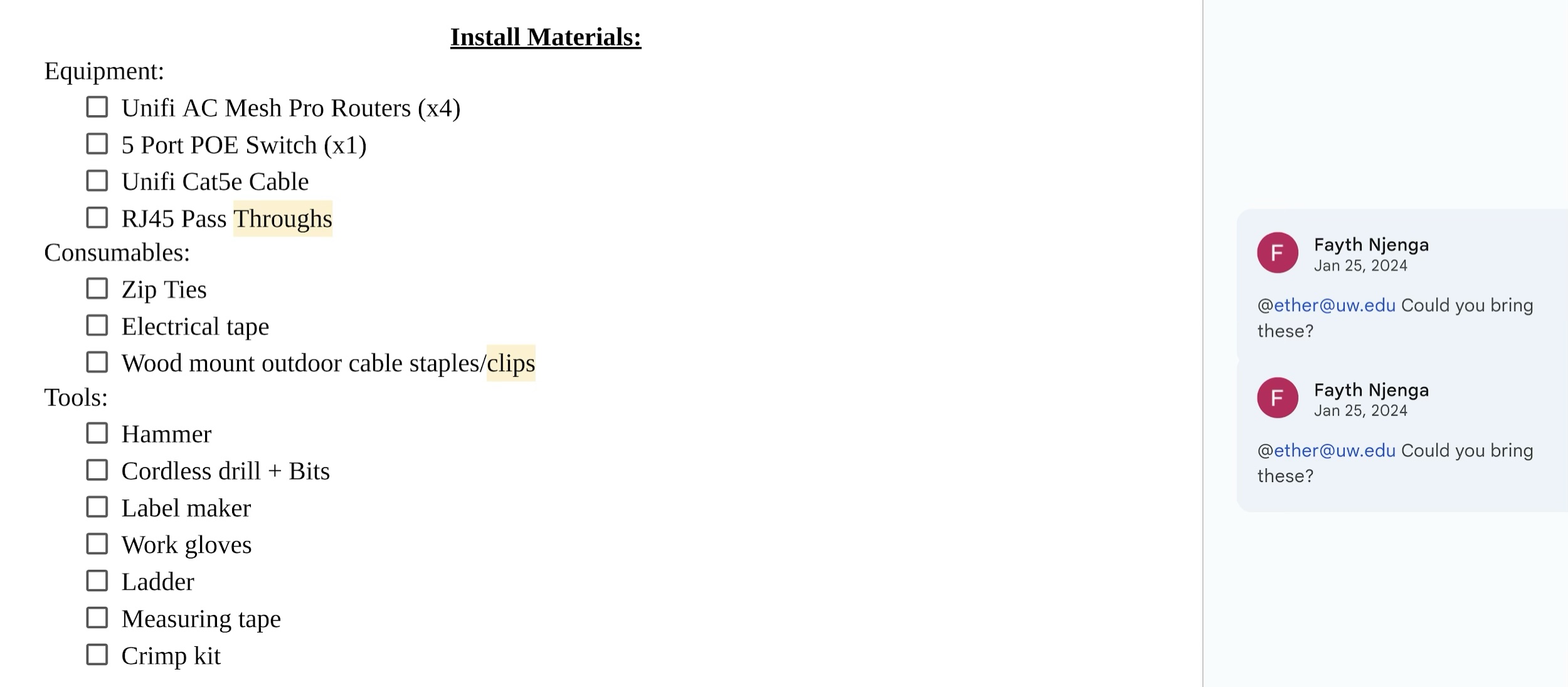
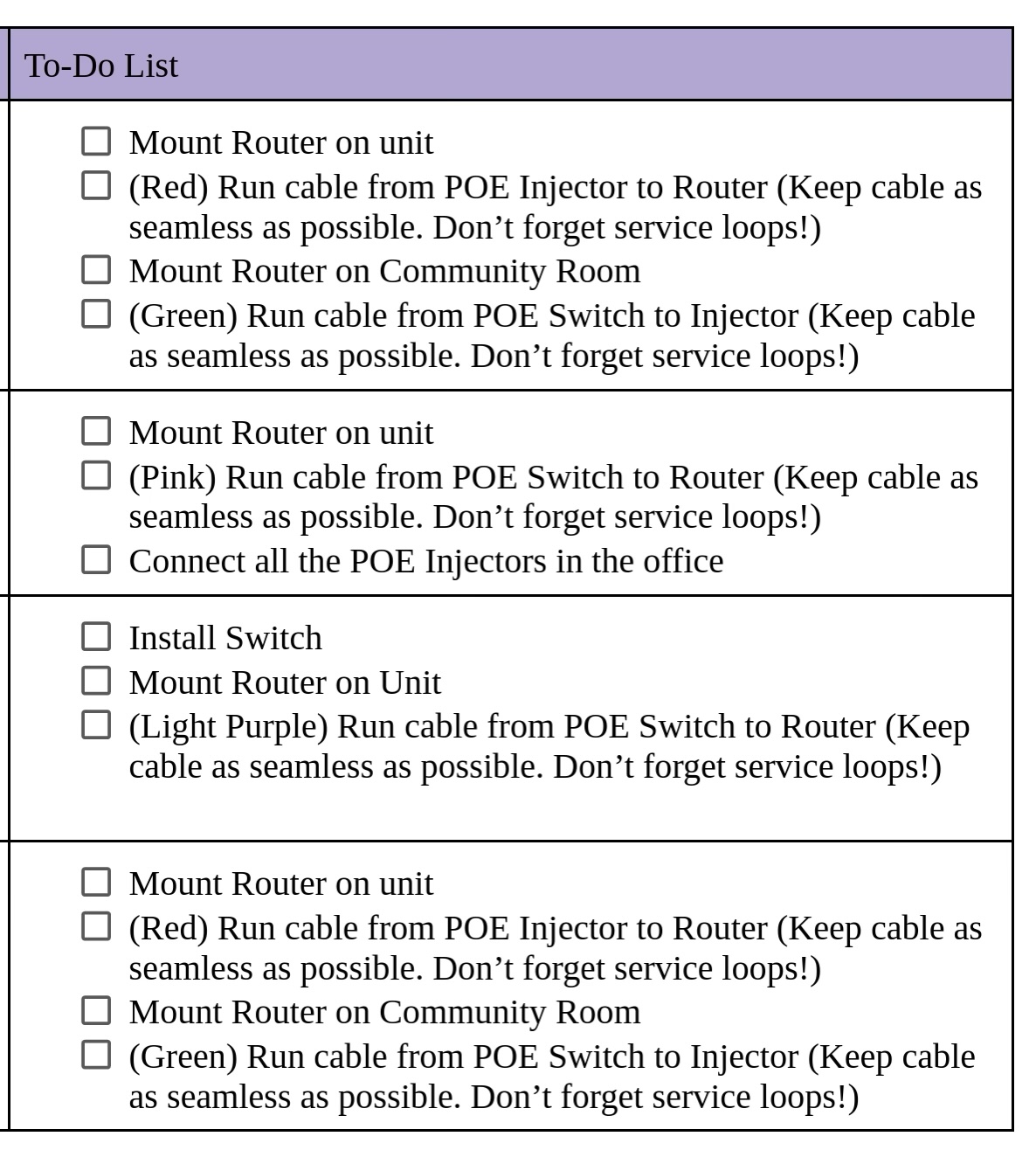
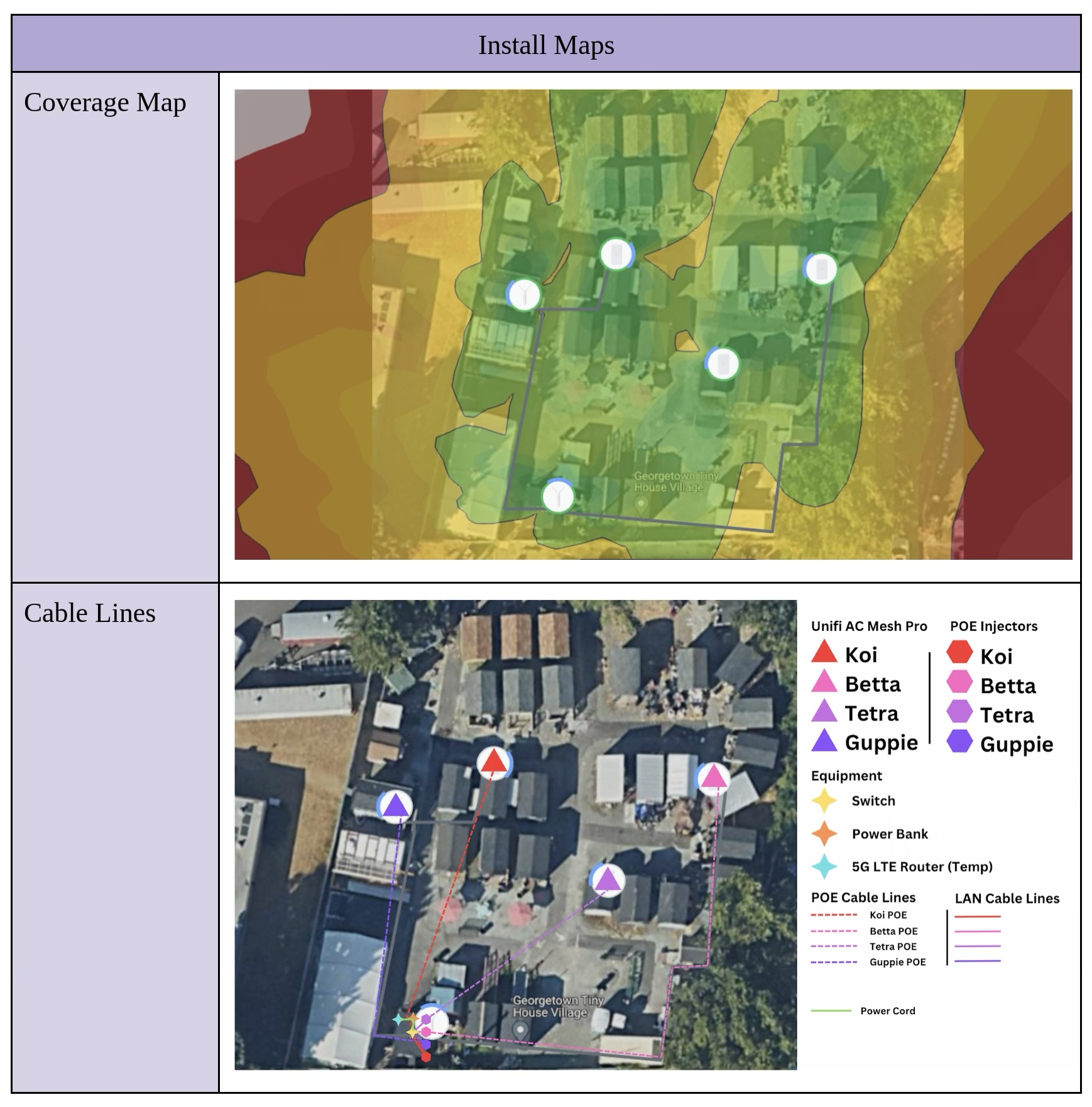
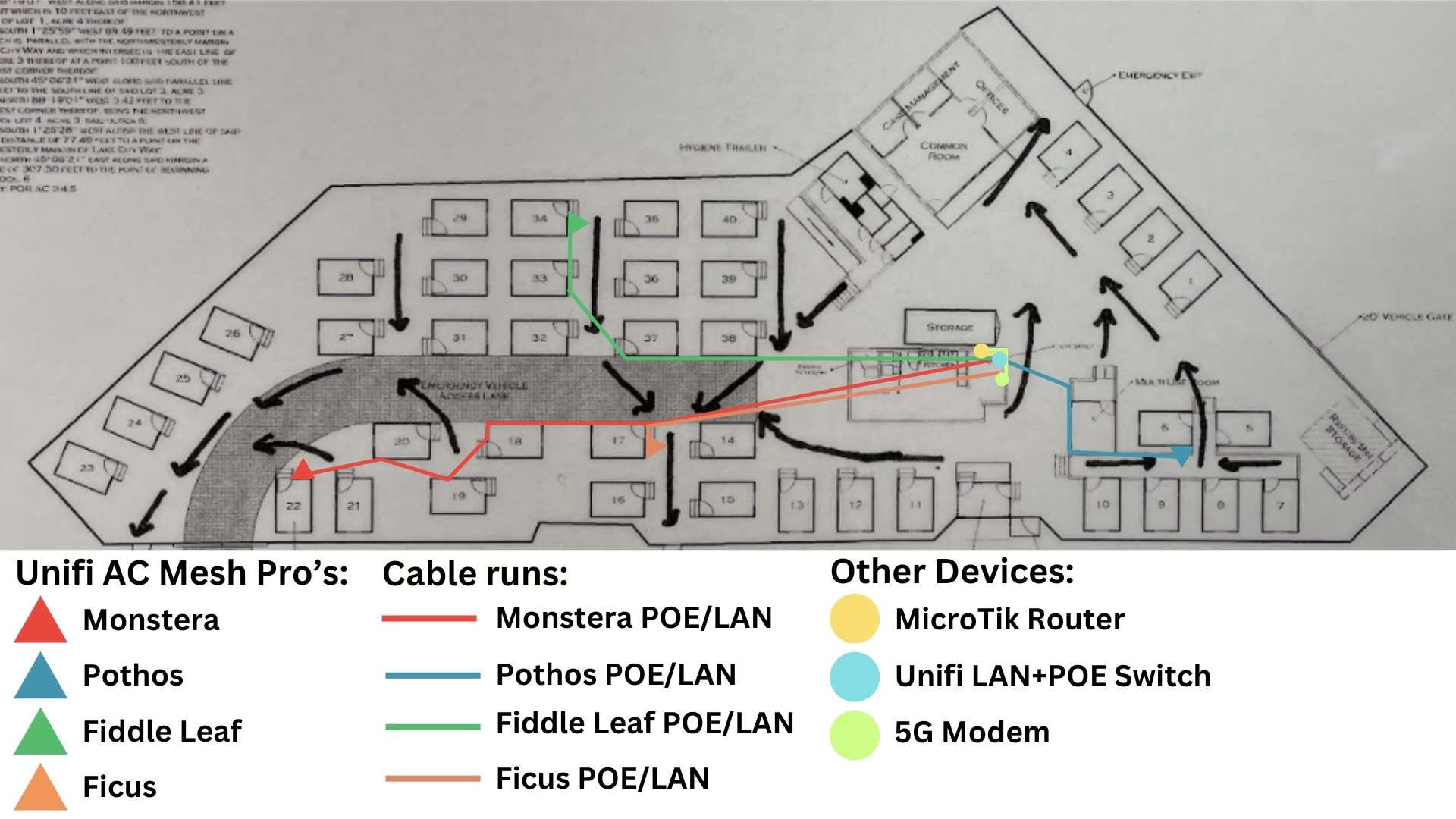
The install plan has the larger purpose of helping organize volunteers or workers and prepare them for the tasks at hand and the tools to bring. Here are some excerpts from one of our install plans (built by one of my former digital steward trainees who led the install).
Step 6: Make a post-install review checklist:
- Is there clear, easily readable signage throughout the Wi-Fi site with the network SSID, password, and who to contact if there is an issue with the network?
- Do the ethernet cables look tidy and securely crimped?
- Is the equipment mounted or placed out of the way, so it is unlikely to be touched, moved, or unplugged? (Signs saying “Internet-- Do Not Unplug” can also help.) Does the equipment have its own dedicated power outlets and/or power strip which no one else is likely to take over?
- Check in with the users and monitor performance over the first few weeks after deployment. Are all websites and applications on the network (e.g. smart TVs and other devices) working as they should?
What we learned
Lessons learned and major challenges we encountered throughout the process of providing Internet access at THVs and similar settings:
- Backhaul connectivity is often the hardest thing for nonprofit internet projects to arrange and find funding for at any given site. Options can be limited based on geography and backhaul also presents a recurring cost that one-time grants do not easily accommodate. There are some offerings for discounted 5G mobile broadband SIMs for nonprofits that we are currently exploring such as from Mobile Citizen and Mission Telecom; these SIMs must not be in a de-prioritized service tier to work for this use case.
- Plan for site status monitoring as well as consistent usage monitoring, which will both help justify grant funds and help address technical problems when they arise. Power outages happen more often at outdoor or low-income shelter sites with more precarious infrastructure, and cheap equipment under constrained budgets may also malfunction more frequently. Reliability measures like using a UPS backup battery and using monitoring protocols such as SNMP to keep tabs on device statistics can be crucial for reducing outages and anticipating service needs. Many software options are available for monitoring; we self-host the free and open-source option LibreNMS. For network troubleshooting, have enough monitoring or visibility to understand whether problems that arise are due to one’s own equipment or an upstream provider, to facilitate accountability and clarity to users in cases of failure.
- Plan to implement a solid firewall at the internet gateway that will protect the users as a group. Users often do not know the consequences of their network activities—for example, their computer may run heavy software updates and backups regularly that slow down the network for everyone else, and it may help to ask the group to turn on “low data mode” at home. As another example, users downloading files via peer-to-peer sharing applications such as “torrenting” may also end up illegally distributing or “seeding” the files by accident. If a file’s copyright owner detects this and sends the upstream ISP a Digital Millennium Copyright Act (DMCA) complaint, the ISP may shut off the connection for the whole group. At the same time, THV networks are home networks. Residents’ privacy must be respected, as well as their ability to pursue leisure activities such as gaming. We recommend providing or encouraging the use of free VPN services among network users to preserve their privacy.
- Interestingly, we have noticed that geographic patterns of wealth inequality and digital inequity are reproduced even in our targeted THV and encampment sites throughout the city. Most bandwidth use, gaming, and torrenting occur at the sites located in the wealthier North Seattle neighborhoods which also more commonly have access to fiber, as compared with the South Seattle neighborhoods which tend to have more racially and ethnically diverse resident populations. Equitable internet access means acknowledging and addressing this geographic distribution of inequality.
- Device distribution or lending programs paired with the internet infrastructure will be especially impactful and valued in shelter settings. Unhoused people are more vulnerable to device breakage due to outdoor exposure or device loss via theft or other life circumstances. Good warranty programs for these devices are also critical to their continued benefit to recipients. Finally, simple office utilities like printers or a computer station open for use will also be highly valued in shelter facilities, as they can be critical resources for bureaucratic processes such as applying for jobs or assistance.
Related Resources:
For a broader view of what the path to setting up a community network might look like, see:
For a brief, practical checklist for setting up an internet access site for your community, feel free to consult (and comment on) the following:
https://docs.google.com/document/d/1Ng5kLFumM-1nkfTFdLWpQKuC6EbYrkWtasoejTo9q4M/edit